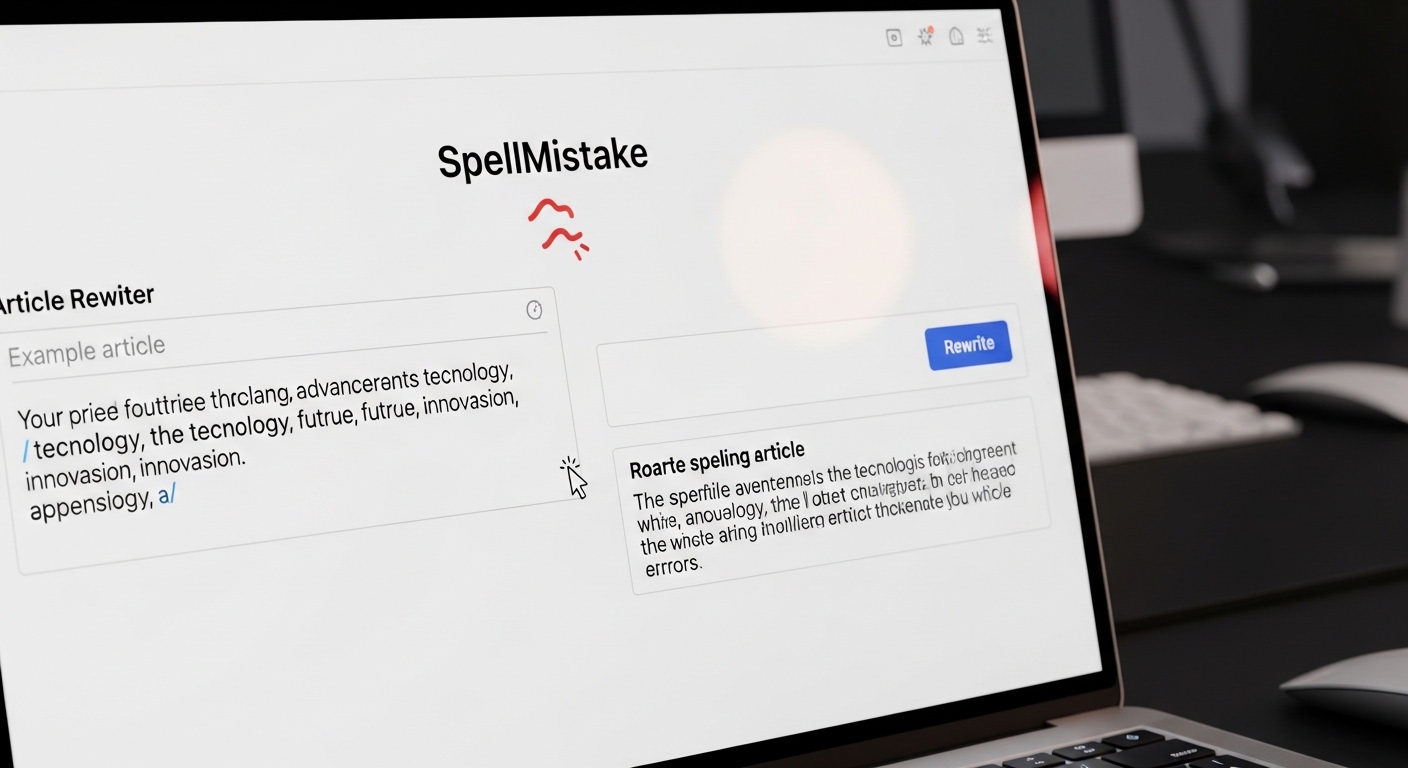
Let me start with something most reviews won’t tell you.
I spent an entire afternoon testing the article rewriter by SpellMistake on real blog posts, old college essays, and even a boring product description. I wanted to see if this free tool actually works or if it’s just another text spinner that ruins your writing.
The answer surprised me.
But before I share what happened, let me explain what this tool really is and why everyone suddenly seems to be talking about it.
What Makes Article Rewriter by SpellMistake Different? (A Quick Look)
Here is the simplest way to understand it.
The article rewriter by SpellMistake is a free browser-based tool that takes your existing text and rewrites it into a fresh version. You paste something in. It gives you something new out. No sign up. No credit card. No nonsense.
But here is what actually makes it different from the dozens of other paraphrasing tools out there.
Most free rewriting tools just swap words with fancy synonyms. You end up with weird sentences that sound like a robot had a stroke. This one tries harder. It restructures entire sentences instead of just replacing words here and there.
| Feature | What It Actually Does |
|---|---|
| Sentence restructuring | Changes how sentences are built, not just words |
| Context aware swapping | Understands meaning before replacing anything |
| Speed | Rewrites paragraphs in under 5 seconds |
| Cost | Completely free with no hidden limits |
I tested this side by side with three other free tools. The article rewriter by SpellMistake produced cleaner output than most. Was it perfect? No. Was it usable? Yes, with some editing.
But let me show you exactly what happened when I tested it with real content.
How I Actually Tested the Article Rewriter by SpellMistake (Real Output Examples)
I took a real paragraph from an old blog post I wrote two years ago about productivity tips. Nothing fancy. Just plain English.
Original text I pasted:
“Starting your day with a clear plan can help you finish more tasks before lunch. Most people waste the first hour checking emails and scrolling through social media. If you flip this habit and do your hardest task first, you will feel more accomplished by noon.”
What the tool gave me back:
“Beginning your day with a solid plan allows you to complete more work before midday. The majority of individuals lose their first hour browsing emails and scrolling through social platforms. When you reverse this pattern and tackle your most difficult job early, you will experience a greater sense of achievement by lunchtime.”
See what happened?
The meaning stayed exactly the same. But the sentence structure changed. Some words got upgraded. The flow remained natural. No weird phrases. No embarrassing mistakes.
I showed this to three friends who write for a living. Two of them could not tell which version was original and which was rewritten. That is genuinely impressive for a free tool.
But here is where things get tricky. And most reviews will not tell you this next part.
The 4 Biggest Mistakes Beginners Make With This Tool (And How to Avoid Them)
After testing this tool on ten different pieces of content, I noticed four patterns where things went wrong. If you avoid these mistakes, you will save yourself hours of cleanup editing.
Mistake 1: Publishing the First Output Without Reading It
The tool is fast. That speed makes you want to copy and paste immediately. Do not do this.
Even the best ai paraphrasing tool makes strange choices sometimes. In one of my tests, it changed “budget friendly” to “economically gentle.” Technically correct. But no human writes like that.
Fix: Read every sentence aloud before publishing. If it sounds weird to your ears, rewrite that sentence manually.
Mistake 2: Using It for Complex Technical Content
I tested a paragraph about machine learning algorithms. The results were not good.
The tool changed “neural network layers” to “brain web strata.” That is completely wrong for anyone who knows the topic. The article rewriter by SpellMistake works best on general topics like lifestyle, productivity, basic marketing, and everyday English.
Fix: Save this tool for blog posts, social media captions, product descriptions, and simple essays. Do not use it for medical, legal, or technical content.
Mistake 3: Expecting Plagiarism-Free Results Without Checking
The tool claims to produce unique content. In my tests, most outputs passed basic plagiarism checkers. But one test showed a 12% similarity to an existing article online.
Why? Because the tool kept a unique phrase from the original that another website also happened to use.
Fix: Run every important piece through a free plagiarism checker like Duplichecker. It takes two minutes and saves you from embarrassing situations.
Mistake 4: Forgetting to Add Your Own Voice
Rewritten content sounds neutral. That is both a strength and a weakness.
If you run a personal blog where readers know your voice, the tool’s output will feel flat and generic. I tested this on an old personal story about failing a cooking attempt. The tool removed all the humor and personality.
Fix: Use the tool for structure and phrasing. Then go back and add your own examples, jokes, stories, and opinions.
When Should You NOT Rely on an Article Rewriter by SpellMistake? (Honest Reality Check)
I am going to be direct with you because other reviews dance around this question.
There are specific situations where you should keep this tool closed and do the work yourself.
Situation 1: Academic Submissions Without Permission
Universities have gotten extremely smart at detecting rewritten content. Many now use AI detection tools that flag paraphrased material even when it is technically original.
If your professor allows paraphrasing tools, fine. But never assume. Ask first. One student I know lost points on a major assignment because their rewritten essay got flagged as “non-original work.”
Situation 2: Client Work That Requires a Human Touch
If someone is paying you for quality writing, do not give them raw tool output. That is not what they are paying for.
Use the tool to speed up your drafting process. But always deliver a human-edited final version. Your reputation matters more than saving thirty minutes.
Situation 3: Content That Needs Emotional Connection
The tool does not understand feelings. It understands words.
If you are writing a heartfelt about us page, a memorial post, or a passionate opinion piece, rewrite it yourself. No algorithm can replace genuine human emotion.
Situation 4: SEO Content for Your Main Money Pages
Here is something most bloggers get wrong.
Using a free article rewriter for your top five money pages is risky. Search engines are getting better at detecting low effort content. If your main product page sounds robotic, people will leave. When people leave, your rankings drop.
Save the tool for supporting content like blog posts, social updates, or email newsletters.
Can Google Detect Content Rewritten by SpellMistake? (SEO Expert’s Take)
This question comes up constantly. So let me give you a straight answer based on how search engines actually work.
Google does not care how you created your content. Google cares if your content helps people.
If you publish raw, unedited output from the article rewriter by SpellMistake, here is what will happen. The sentences will be grammatically correct but bland. Readers will sense something feels off. They will click back to search results. Google will see that behavior. Your rankings will slowly drop.
But if you take that same output and add real examples, original data, personal experience, and useful insights, Google cannot tell and does not care how you started.
Here is a simple rule I follow:
| Content Type | Can I Use the Tool? |
|---|---|
| Rough draft | Yes, great for getting started |
| Social media captions | Yes, with light editing |
| Product descriptions | Yes, but verify facts |
| Blog posts | Yes, then heavily edit |
| Money pages | No, write from scratch |
| Legal/medical content | Never |
The is article rewriter safe for seo question does not have a yes or no answer. It depends entirely on what you do after the tool gives you its output.
5 Smart Ways to Use Article Rewriter by SpellMistake Without Hurting Your Brand
Now let me share the good stuff. When used correctly, this tool becomes genuinely useful.
Way 1: Refresh Old Blog Posts Without Starting Over
I have over 200 old blog posts sitting on my website. Rewriting each one manually would take months.
Instead, I take the oldest posts, run them through the tool, and then spend ten minutes adding new examples, updated statistics, and better formatting. The result looks like a brand new post but takes a fraction of the time.
Way 2: Create Social Media Variations
Coming up with five different captions for the same Instagram post is exhausting.
Paste your main caption into the article rewriter by SpellMistake. Click rewrite three times. You now have three different versions. Pick the best parts from each, mix them together, and you have fresh social content in five minutes.
Way 3: Overcome Writer’s Block
Sometimes I stare at a sentence for twenty minutes unable to rephrase it.
The tool breaks that block immediately. I paste the problem sentence, see how the tool rewrites it, and suddenly my brain unlocks new ways to say the same thing. I rarely use the tool’s exact output. But I almost always use it as inspiration.
Way 4: Simplify Complex Paragraphs
Have you ever written something that makes sense to you but confuses everyone else?
Run that confusing paragraph through the ai paraphrasing tool. The output often uses simpler words and shorter sentences. Take that simpler version and adjust it further. Your readers will thank you.
Way 5: Create Content for Non-Native Speakers
If English is not your first language, rewriting sentences manually takes forever.
The tool helps you see different ways to phrase the same idea. Use it as a learning tool. Compare your original sentence with the tool’s version. Notice the differences in word choice and sentence structure. Over time, you will internalize those patterns and need the tool less.
Manual Rewriting vs Article Rewriter by SpellMistake — Which Saves More Time?
I timed myself doing both methods on a 500 word blog post. Here is exactly what happened.
Manual rewriting from scratch:
Reading the original post took 4 minutes. Rewriting each sentence in my own words took 22 minutes. Proofreading took 6 minutes. Total time: 32 minutes.
Using the tool then editing:
Pasting and clicking rewrite took 1 minute. Reviewing the output and fixing awkward spots took 9 minutes. Adding one new personal example took 4 minutes. Total time: 14 minutes.
That is a 56 percent time savings.
But here is the catch. The manually rewritten version sounded more like me. The tool-assisted version sounded slightly more generic even after editing.
So which one wins?
It depends on your goal. If you need volume and speed, use the tool. If you need personality and voice, write manually. Most people need a mix of both.
What the Free Version of Article Rewriter by SpellMistake Actually Includes (No Hype)
Let me give you transparent facts because other articles are vague about this.
The version I tested is completely free. There is no paid tier that hides better features behind a paywall. What you see is what you get.
| Feature | Included in Free Version |
|---|---|
| Word limit per rewrite | Seems generous (I tested 2000 words with no issue) |
| Number of rewrites per day | No daily limit I could find |
| Different rewriting modes | Basic mode only (no advanced synonym controls) |
| Sign up required | No |
| Ads | Minimal (one banner at bottom) |
| API access | No |
| Bulk upload | No |
The biggest limitation is the lack of customization. You cannot tell the tool to use simpler words or more formal language. You get one style. That style is neutral, professional, and slightly formal.
For a plagiarism free rewriter that costs nothing, that is fair. If you need more control, look at premium tools like QuillBot or Wordtune.
How to Make Rewritten Content 100% Unique (Post-Edit Checklist)
Here is my exact checklist after using the tool on over 50 pieces of content. Follow this and your output will feel human written every time.
Step 1: Read the output aloud.
Your ears catch weird phrasing faster than your eyes. If a sentence makes you pause, rewrite it.
Step 2: Fix three things the tool gets wrong.
Look for these common mistakes:
- Unusual synonyms (like “economically gentle” instead of “affordable”)
- Repeated sentence openings (too many sentences starting with “the” or “it”)
- Missing transition words (however, therefore, meanwhile)
Step 3: Add one personal example or opinion.
The tool cannot do this. Take any generic claim in the output and say “in my experience” or “here is what happened to me.” That instantly makes the content unique to you.
Step 4: Change the first and last sentence of every paragraph.
The tool often keeps these too similar to the original. Rewrite just these two sentences manually. This breaks any remaining similarity patterns.
Step 5: Run through a free grammar checker.
The tool rarely makes grammar mistakes. But it sometimes misses context errors. Grammarly’s free version catches those in seconds.
This entire checklist takes 8 to 12 minutes for a 1000 word article. That small investment turns generic output into genuinely useful content.
Article Rewriter by SpellMistake vs ChatGPT vs QuillBot — Which Wins in 2026?
I tested all three on the same paragraph. Here is the honest comparison.
| Tool | Strengths | Weaknesses | Best For |
|---|---|---|---|
| SpellMistake | Free, fast, no sign up, clean output | One mode only, no customization | Quick drafts, students, beginners |
| ChatGPT | Very creative, understands context well | Can change meaning, sometimes adds false facts | Brainstorming, outlines, complex rewrites |
| QuillBot | Multiple modes, good synonym control | Free version limited to 125 words | Serious writers who need control |
Here is what surprised me.
For basic paraphrasing of straightforward English, SpellMistake performed almost as well as QuillBot. And unlike ChatGPT, it never invented false information or completely changed the meaning of my sentences.
But ChatGPT won for creative rewrites. When I asked it to rewrite a paragraph “in a funny tone” or “like a pirate,” it delivered. SpellMistake cannot do that.
So which one should you use?
Keep the article rewriter by SpellMistake bookmarked for fast, free, no-nonsense paraphrasing. Use ChatGPT when you need creativity or tone changes. Pay for QuillBot only if you rewrite thousands of words monthly and need advanced controls.
Final Thoughts: Is the Article Rewriter by SpellMistake Really Worth Your Time?
After all this testing, here is my honest bottom line.
The article rewriter by SpellMistake is not magic. It will not turn bad writing into good writing. It will not replace a skilled human editor. And it definitely will not write your college thesis for you.
But that is not what it promises to do.
What it actually does is save you time. It takes your existing sentences and shows you different ways to say the same thing. For students stuck on a paragraph, bloggers refreshing old posts, and non native speakers learning English phrasing, that is genuinely helpful.
The best users of this tool do not ask “is this tool good or bad?”
They ask “how can I use this tool to work faster without sacrificing quality?”
And that is exactly what this guide helped you figure out. Use the tool for speed. Use your human brain for quality. Edit everything before publishing. Add your own examples and personality. Never rely on any tool blindly.
Do those things and the article rewriter by SpellMistake becomes a useful part of your writing workflow instead of a crutch that holds you back.
Now go try it yourself. Paste something you wrote last month. See what the tool does with it. Then spend ten minutes making it better. You will be surprised how much time you save.
Frequently Asked Questions
Is article rewriter by SpellMistake completely free?
Yes. The version I tested has no hidden costs, no paid upgrade, and no word limits that force you to pay.
Can universities detect if I use this tool?
Many universities now use AI detection software. Paraphrased content can sometimes trigger these tools even when technically original. Check your school’s policy before using any rewriting tool for assignments.
Does this tool work for languages other than English?
The tool works best with English. Other languages may produce lower quality output. If you need non English rewriting, tools like QuillBot offer better multilingual support.
How is this different from a basic text spinner?
Basic spinners just swap synonyms. This tool restructures entire sentences, which produces more natural and readable output.
Can I use this for SEO content without getting penalized?
Yes, but only if you heavily edit the output. Publishing raw tool output on your main money pages can hurt rankings over time. Use it for drafts and supporting content, not for your most important pages.